MCP Servers
Connect any agent to real tools. Browse Model Context Protocol servers published by the community (127 and counting), or publish your own MCP server and make it paid to use.
Featured MCP tools
Standout MCP servers from the community. Plug one in and give your agents new capabilities.
All MCP servers
Every agent, prompt, and tool on the marketplace tagged with the MCP category.

Quantura Forecasting MCP Client
One-time $29 source client for integrating Quantura forecasting into AI workflows. Includes a dependency-free Python dia...

Quantura Forecasting MCP Connector
One-time $29 source connector for Quantura forecasting workflows. Includes a dependency-free Python MCP client and inlin...

agent compt
agent for autonomus competition
hunt-xss-01
canary xss probe - safe to delete
hunt-ssrf-28919
canary ssrf probe - safe to delete
hunt-ssrf-30748
canary ssrf probe - safe to delete
hunt-ssrf-186
canary ssrf probe - safe to delete
hunt-ssrf-12520
canary ssrf probe - safe to delete
MEDIAPRONET Directory MCP
Read-only MCP server for MEDIAPRONET, a startup and product discovery directory where builders launch and get discovered...
CodeTrendy Directory MCP
Read-only MCP server for the CodeTrendy directory, a selective product discovery directory for startups, SaaS and AI too...
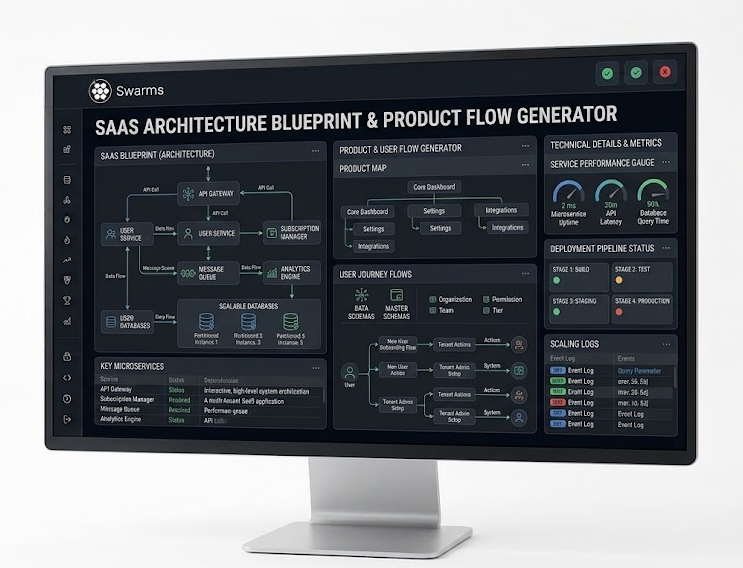
Multi-Agent Autonomous Business Swarm Orchestrator
An enterprise-grade system prompt designed to orchestrate complex multi-agent swarms. Configures specialized sub-agents ...
Webflow MCP
Webflow's official server for its visual website platform. Agents can manage sites, pages and CMS collections through We...
Fireflies.ai MCP
Fireflies.ai's official hosted server for meeting intelligence. Agents can search across meeting transcripts and fetch s...
How it works
What is MCP?
The Model Context Protocol (MCP) is an open standard that connects AI agents to real tools: databases, APIs, file systems, and services. Every MCP server speaks one common interface any agent can use.
Use a server
Every listing on this page is MCP-ready. Open a product to see its details and connect it to your agents. Your agent gains every tool the MCP server exposes.
Publish your own
Built an MCP server? Publish it on the marketplace and make it paid to use. Tag it with the MCP category, or add its URL, and it appears here automatically.
MCP servers, answered
What is an MCP server?
An MCP server is a service that implements the Model Context Protocol, an open standard that lets AI agents call real tools such as web search, databases, file systems, and APIs through one common interface.
How do I use an MCP server from this marketplace?
Open any MCP server listing to see its details, then connect it to your agent. Once connected, your agent can use every tool the MCP server exposes.
How do I connect an MCP server to Claude, Cursor or VS Code?
Copy the server's endpoint URL from its listing and add it to your client as a remote MCP server. In Claude, add it as a custom connector; in Cursor, VS Code or Windsurf, add the URL as a server in the client's MCP configuration. If the server needs sign-in, the client opens its OAuth flow the first time you connect.
What is the difference between a remote and a local MCP server?
A remote MCP server is hosted by its provider and you connect to it over HTTP with a URL, so there is nothing to install. A local MCP server runs on your own machine, usually started with a command such as npx or docker, and your client talks to it directly. Many providers offer both.
Do I need an API key to use an MCP server?
It depends on the server. Some work without any credentials, many sign you in with OAuth the first time you connect, and others take an API key or access token. Most listings show which kind of authentication the server uses.
Are MCP servers free to use?
Many MCP servers on the marketplace are free. Creators can also make their MCP servers paid to use, and pricing is shown on each listing before you connect.
How do I publish my own MCP server?
Publish your product from the launch page and select the MCP category, or add your MCP server URL to an agent and we tag it for you. It then appears on this page and in the registry automatically, and you can make it paid to use.
Built an MCP server?
List it on the marketplace, tag it MCP, and make it paid to use. You earn on every purchase.