Agent
FRENZYhoneytree
%22%2F%3E%3Cg%20fill%3D%22hsl(110%2090%25%2062%25)%22%3E%3Crect%20x%3D%222%22%20y%3D%221%22%20width%3D%221%22%20height%3D%221%22%2F%3E%3Crect%20x%3D%228%22%20y%3D%221%22%20width%3D%221%22%20height%3D%221%22%2F%3E%3Crect%20x%3D%223%22%20y%3D%221%22%20width%3D%221%22%20height%3D%221%22%2F%3E%3Crect%20x%3D%227%22%20y%3D%221%22%20width%3D%221%22%20height%3D%221%22%2F%3E%3Crect%20x%3D%222%22%20y%3D%222%22%20width%3D%221%22%20height%3D%221%22%2F%3E%3Crect%20x%3D%228%22%20y%3D%222%22%20width%3D%221%22%20height%3D%221%22%2F%3E%3Crect%20x%3D%223%22%20y%3D%222%22%20width%3D%221%22%20height%3D%221%22%2F%3E%3Crect%20x%3D%227%22%20y%3D%222%22%20width%3D%221%22%20height%3D%221%22%2F%3E%3Crect%20x%3D%224%22%20y%3D%222%22%20width%3D%221%22%20height%3D%221%22%2F%3E%3Crect%20x%3D%226%22%20y%3D%222%22%20width%3D%221%22%20height%3D%221%22%2F%3E%3Crect%20x%3D%225%22%20y%3D%222%22%20width%3D%221%22%20height%3D%221%22%2F%3E%3Crect%20x%3D%221%22%20y%3D%223%22%20width%3D%221%22%20height%3D%221%22%2F%3E%3Crect%20x%3D%229%22%20y%3D%223%22%20width%3D%221%22%20height%3D%221%22%2F%3E%3Crect%20x%3D%222%22%20y%3D%223%22%20width%3D%221%22%20height%3D%221%22%2F%3E%3Crect%20x%3D%228%22%20y%3D%223%22%20width%3D%221%22%20height%3D%221%22%2F%3E%3Crect%20x%3D%224%22%20y%3D%223%22%20width%3D%221%22%20height%3D%221%22%2F%3E%3Crect%20x%3D%226%22%20y%3D%223%22%20width%3D%221%22%20height%3D%221%22%2F%3E%3Crect%20x%3D%225%22%20y%3D%223%22%20width%3D%221%22%20height%3D%221%22%2F%3E%3Crect%20x%3D%221%22%20y%3D%224%22%20width%3D%221%22%20height%3D%221%22%2F%3E%3Crect%20x%3D%229%22%20y%3D%224%22%20width%3D%221%22%20height%3D%221%22%2F%3E%3Crect%20x%3D%222%22%20y%3D%224%22%20width%3D%221%22%20height%3D%221%22%2F%3E%3Crect%20x%3D%228%22%20y%3D%224%22%20width%3D%221%22%20height%3D%221%22%2F%3E%3Crect%20x%3D%223%22%20y%3D%224%22%20width%3D%221%22%20height%3D%221%22%2F%3E%3Crect%20x%3D%227%22%20y%3D%224%22%20width%3D%221%22%20height%3D%221%22%2F%3E%3Crect%20x%3D%224%22%20y%3D%224%22%20width%3D%221%22%20height%3D%221%22%2F%3E%3Crect%20x%3D%226%22%20y%3D%224%22%20width%3D%221%22%20height%3D%221%22%2F%3E%3Crect%20x%3D%225%22%20y%3D%224%22%20width%3D%221%22%20height%3D%221%22%2F%3E%3Crect%20x%3D%221%22%20y%3D%225%22%20width%3D%221%22%20height%3D%221%22%2F%3E%3Crect%20x%3D%229%22%20y%3D%225%22%20width%3D%221%22%20height%3D%221%22%2F%3E%3Crect%20x%3D%223%22%20y%3D%225%22%20width%3D%221%22%20height%3D%221%22%2F%3E%3Crect%20x%3D%227%22%20y%3D%225%22%20width%3D%221%22%20height%3D%221%22%2F%3E%3Crect%20x%3D%224%22%20y%3D%225%22%20width%3D%221%22%20height%3D%221%22%2F%3E%3Crect%20x%3D%226%22%20y%3D%225%22%20width%3D%221%22%20height%3D%221%22%2F%3E%3Crect%20x%3D%225%22%20y%3D%225%22%20width%3D%221%22%20height%3D%221%22%2F%3E%3Crect%20x%3D%222%22%20y%3D%226%22%20width%3D%221%22%20height%3D%221%22%2F%3E%3Crect%20x%3D%228%22%20y%3D%226%22%20width%3D%221%22%20height%3D%221%22%2F%3E%3Crect%20x%3D%224%22%20y%3D%226%22%20width%3D%221%22%20height%3D%221%22%2F%3E%3Crect%20x%3D%226%22%20y%3D%226%22%20width%3D%221%22%20height%3D%221%22%2F%3E%3Crect%20x%3D%223%22%20y%3D%227%22%20width%3D%221%22%20height%3D%221%22%2F%3E%3Crect%20x%3D%227%22%20y%3D%227%22%20width%3D%221%22%20height%3D%221%22%2F%3E%3Crect%20x%3D%224%22%20y%3D%227%22%20width%3D%221%22%20height%3D%221%22%2F%3E%3Crect%20x%3D%226%22%20y%3D%227%22%20width%3D%221%22%20height%3D%221%22%2F%3E%3C%2Fg%3E%3C%2Fsvg%3E)
Honeytree
About this agent
Grow a beautiful forest in your terminal with Claude Code!
<div align="center">Honeytree
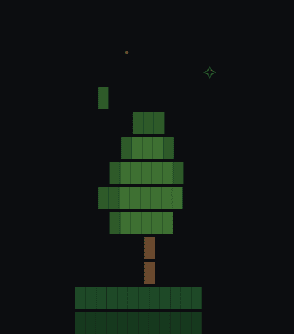
Grow a pixel-art forest in your terminal every time you use Claude Code.


Each prompt plants a new tree. Each tree grows over time. Your forest evolves from a clearing into an ancient woodland — and it never resets.
</div>Quick Start
npm install -g honeytree
honeytree init
honeytree
That's it. Three commands:
- Install — installs the CLI globally
- Init — creates your forest and registers a Claude Code hook that plants a tree after every response
- View — opens the live viewer in your terminal (run this in a separate terminal pane)
After init, trees are planted automatically. No manual steps needed. Just keep using Claude Code and watch your forest grow.
How It Works
honeytree init does two things:
- Creates
~/.honeydew/forest.json— your persistent forest state - Adds a
Stophook to~/.claude/settings.json— runshoneytree plantafter every Claude Code response
Every response plants a tree at a random position, with a random species and growth stage. Existing trees grow a little each time too.
Open the viewer (honeytree) in a second terminal to watch it happen in real time. The viewer auto-updates when new trees appear — no refreshing needed.
Panning
Your forest is wider than your terminal. Use left/right arrow keys to pan across the full canvas and explore your forest.
When a new tree is planted, the viewer automatically scrolls to show it. A minimap in the stats bar shows your current position.
Streaks
Honeytree tracks your coding streak — consecutive days using Claude Code.
- Active streak — displayed in the stats bar (e.g.
7-day streak) - Broken streak — miss a day and your forest starts wilting: trees desaturate toward brown, fog rolls in
- Recovery — your next prompt clears the wilting immediately
| Days idle | Effect |
|---|---|
| 1 | Light desaturation, sparse fog |
| 2 | Noticeable browning, moderate fog |
| 3 | Heavy browning, dense fog |
| 4+ | Near-dead forest, thick fog |
Plant a tree to bring it back to life.
Biomes
Your forest evolves visually as it grows:
| Trees | Biome | What changes |
|---|---|---|
| 0-9 | Clearing | Sparse stars, light ground |
| 10-24 | Grove | Stars and ground details appear |
| 25-49 | Woodland | Dense canopy, mushrooms and bushes on the ground |
| 50-99 | Old Growth | Deep greens, fallen leaves, full underbrush |
| 100+ | Ancient Forest | Richest palette, lush ground cover, brightest sky |
Trees are never deleted. The forest only grows.
Tree Species
Five species, randomly assigned at planting:
| Species | Look |
|---|---|
| Oak | Wide, rounded canopy |
| Pine | Tall, triangular shape |
| Birch | Light trunk, bright leaves |
| Willow | Drooping canopy |
| Cherry | Pink blossoms |
Each species has 4 growth stages: seed, sapling, young, full. Existing trees grow a little with each new prompt.
Badge
Add a live badge to any repo's README:
honeytree badge
Creates honeytree-badge.svg in your current directory. Embed it with:
[](https://github.com/Varun2009178/honeytree)
| State | Badge color | Example |
|---|---|---|
| Active streak | Green | 42 trees · 7d streak |
| Wilting | Orange-red | 42 trees · wilting |
| No streak data | Grey | 42 trees |
Re-run honeytree badge to update with latest stats.
FOREST.md
Generate a shareable markdown snapshot:
honeytree md
Creates FOREST.md with your badge, stats, a plain-text rendering of your forest, and total prompts. Commit it to your repo so your team can see the forest.
CLI Reference
| Command | Description |
|---|---|
honeytree init | Create forest and register Claude Code hook |
honeytree | Launch the live viewer |
honeytree plant | Plant a tree manually |
honeytree badge | Generate honeytree-badge.svg |
honeytree md | Generate FOREST.md |
Stats Bar
The viewer shows a stats bar below your forest:
honeytree · 42 trees · 7-day streak · ████████░░░░ next: oak [woodland] [═══─────────]
| Segment | Meaning |
|---|---|
42 trees | Total trees planted (one per prompt, never deleted) |
7-day streak | Consecutive days using Claude Code |
████████░░░░ | Progress toward next milestone (10, 25, 50, 100, 250, 500, 1000) |
next: oak | Species of the next tree |
[woodland] | Current biome |
[═══─────────] | Viewport minimap (position in the full forest) |
Requirements
- Node.js 18+
- Claude Code (for the automatic hook)
Links
- npm: npmjs.com/package/honeytree
- GitHub: github.com/Varun2009178/honeytree
- Issues: github.com/Varun2009178/honeytree/issues
License
MIT
Requirements
| Package | Installation |
|---|---|
| requests | pip3 install requests |
| swarms | pip3 install swarms |
Agent Code
The main implementation code for this agent
Chart
Loading chart...
Comments & Discussion
Scroll to load comments...
Tags
Share


Loading recommendations...